Sinaui
Overview
This project started when I joined the UI / UX Bootcamp from Sanbercode. The project lasted two weeks, during which I served as a UX designer and UI designer. This project’s challenge is to create a platform that can provide the best learning for aspiring UX designers.
Role
UI/UX Designer
Year
2020
Type
Mobile App Design
Process
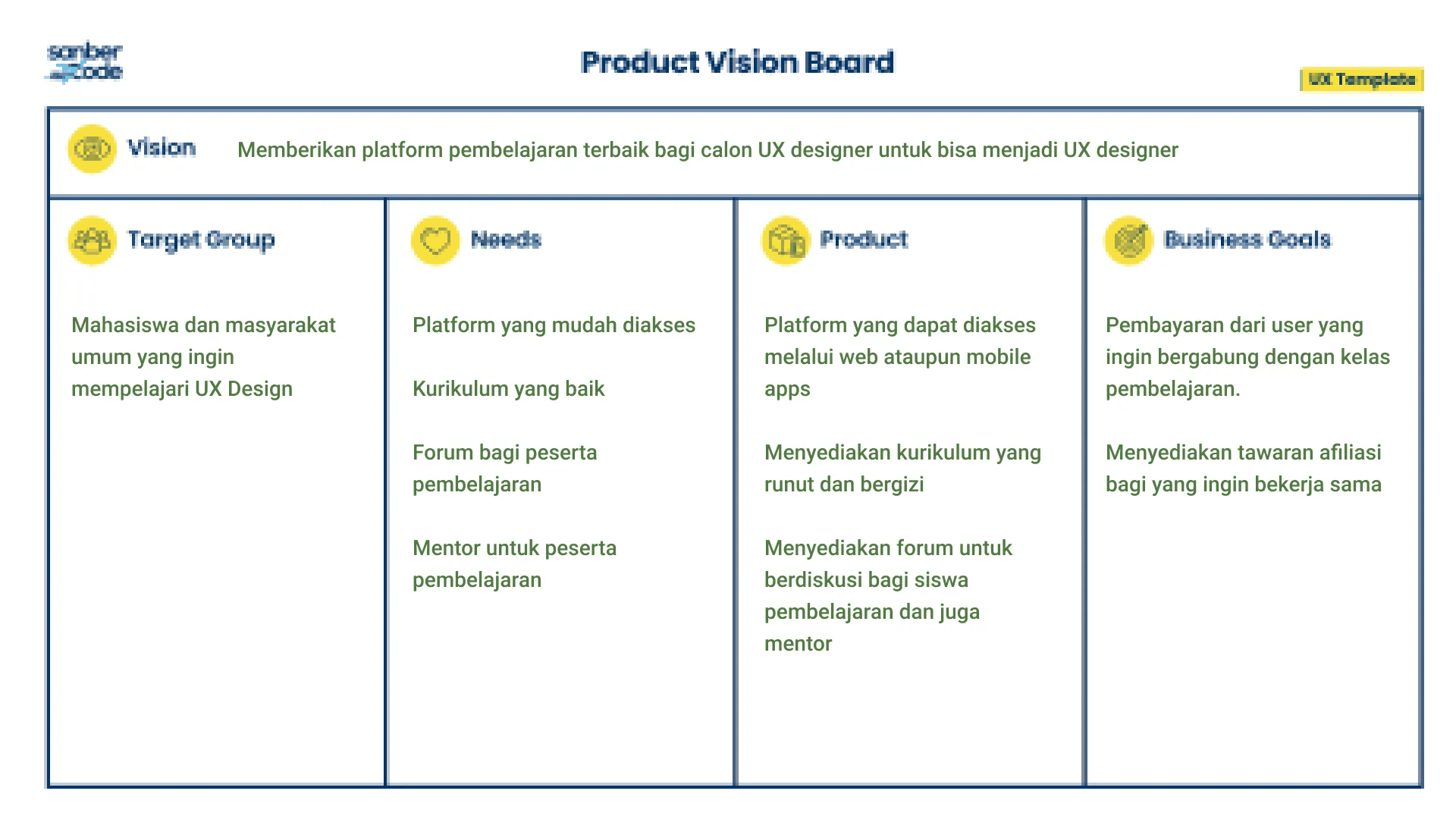
Creates assumptions about who the target users are and their needs
To accommodate all assumptions regarding the product, I use the product. Vision Board.
I conducted qualitative research by interviewing 2 participants. The participants are final-year students who desire to study UX Design. The interview yielded several points and insights about the product that the user wants. The points obtained in the user research were then grouped using an affinity diagram.
Assumption Validation
Based on this research, I developed user personas and created wireframes to map out the app's functionality and structure. From there, I made a high-fidelity prototype and conducted usability testing to refine the design and improve the user experience. The final design includes a personalized workout tracker and an easy-to-use booking system.
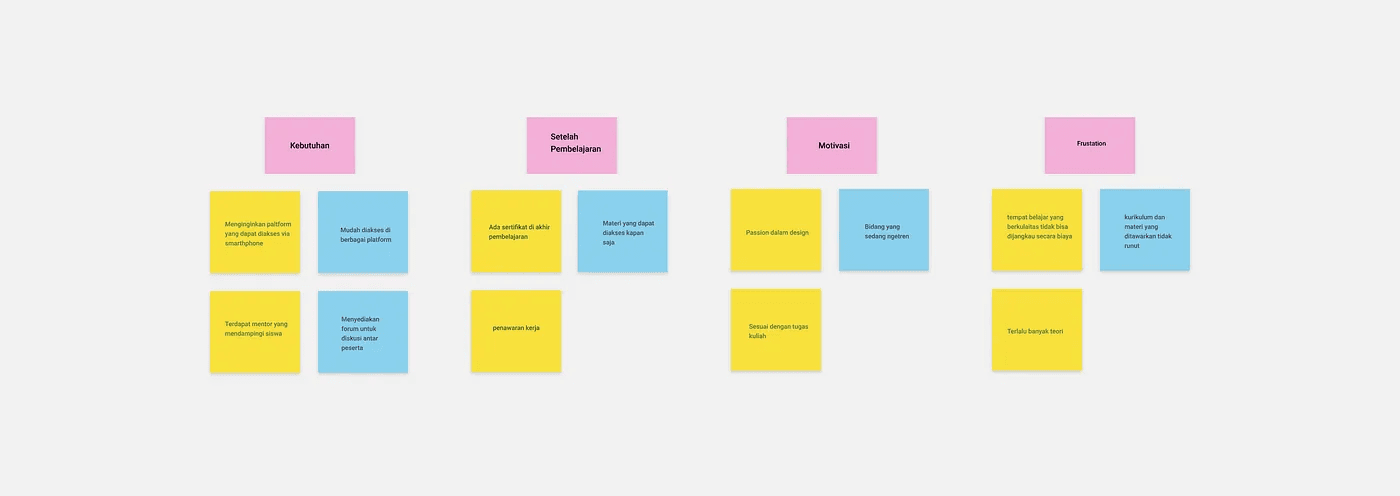
After the points are grouped, it is found that the user requirements are as follows:
Users want a platform that can be accessed using a smartphone
Mentors are available to accompany students
Provide a forum for discussion between participants
While the pain points found include:
Users cannot reach a quality place of study on a cost basis
Too many theories
The curriculum and materials offered are not continuous
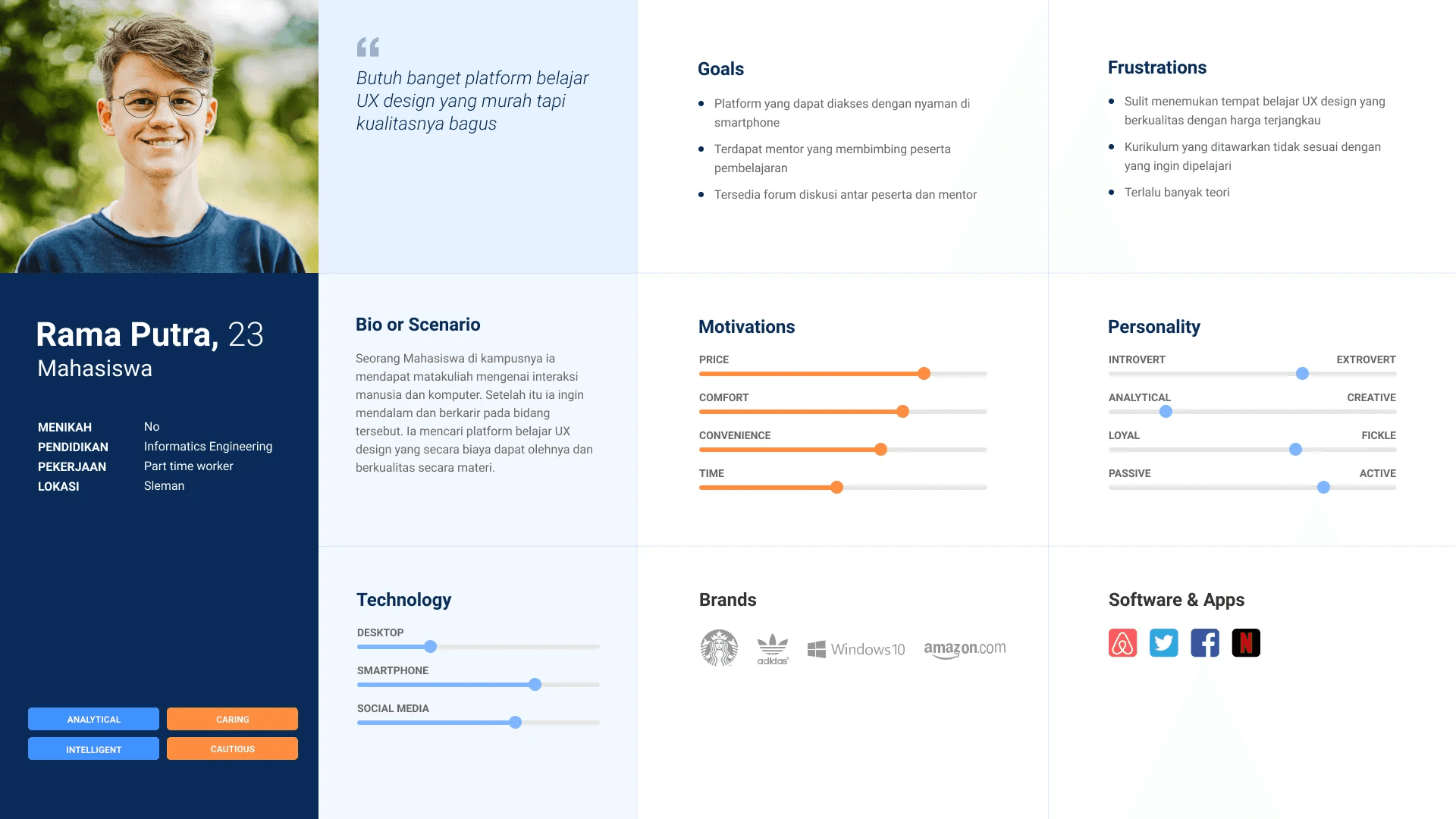
User Persona
I use a user persona to describe the needs and characteristics of the target user. A user persona is needed so that the design results do not deviate from the target user's.
Designing Solution
The next step is designing solutions after the assumptions are validated through user research. The design of the solution is based on the insights found during user research. Solutions will accommodate target users' needs, pain points, and characteristics.
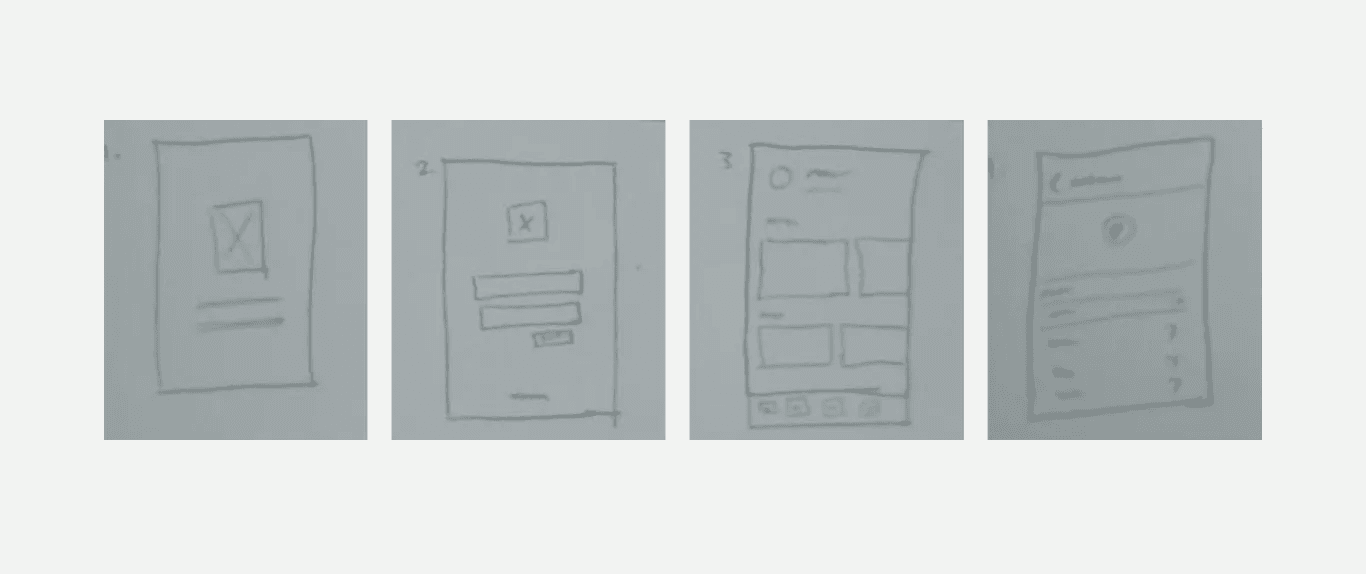
Pencil Sketch
Pencil sketching, or sketching scribbles on paper using a pencil, is done before digital design. Pencil sketching helps to explore ideas faster and generates lots of variety.
Wireframe
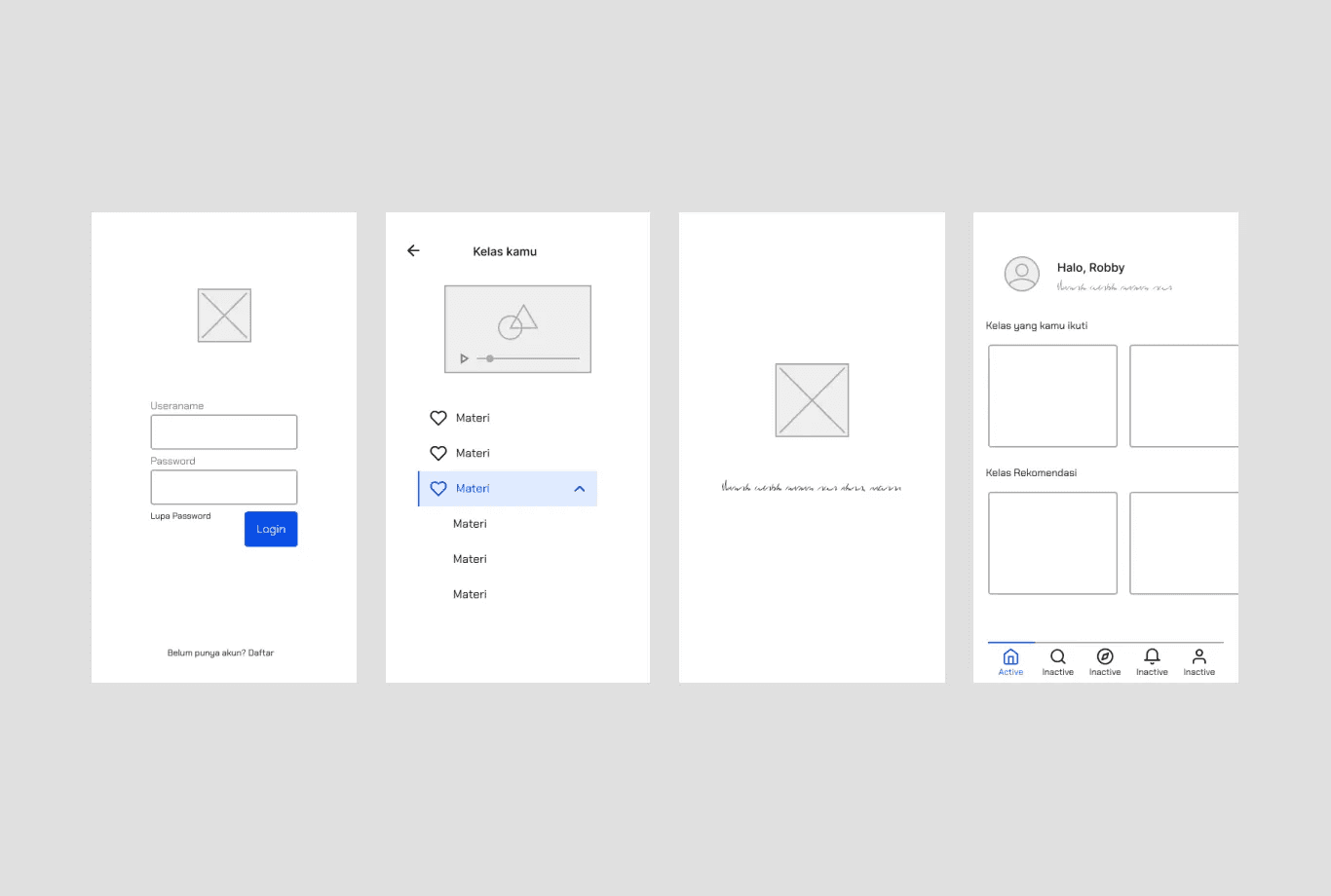
The results of the pencil sketch are then digitally executed. The design hasn't been given a touch of color, and the elements aren't too detailed. Wireframes are helpful because they allow designers to complete designs faster and obtain feedback faster. Here are some of the wireframes I created:
Solutions
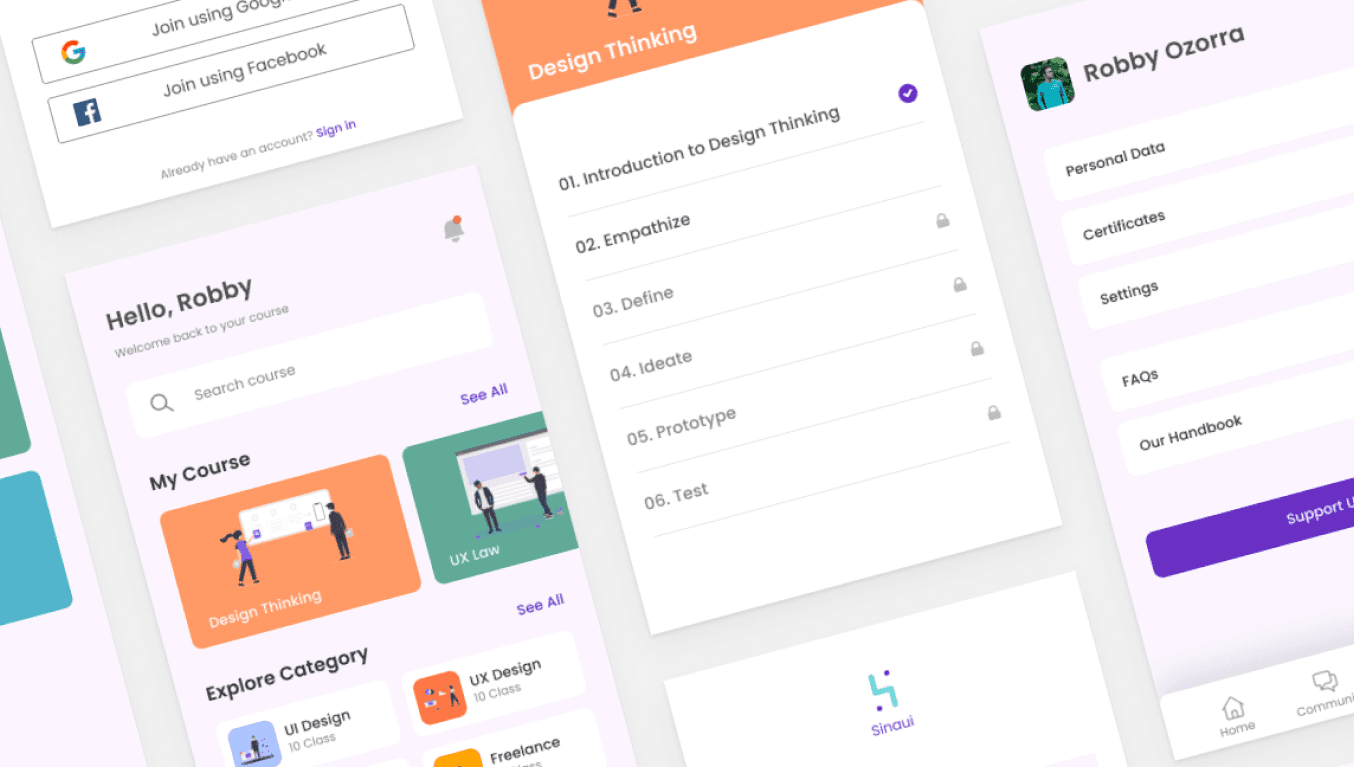
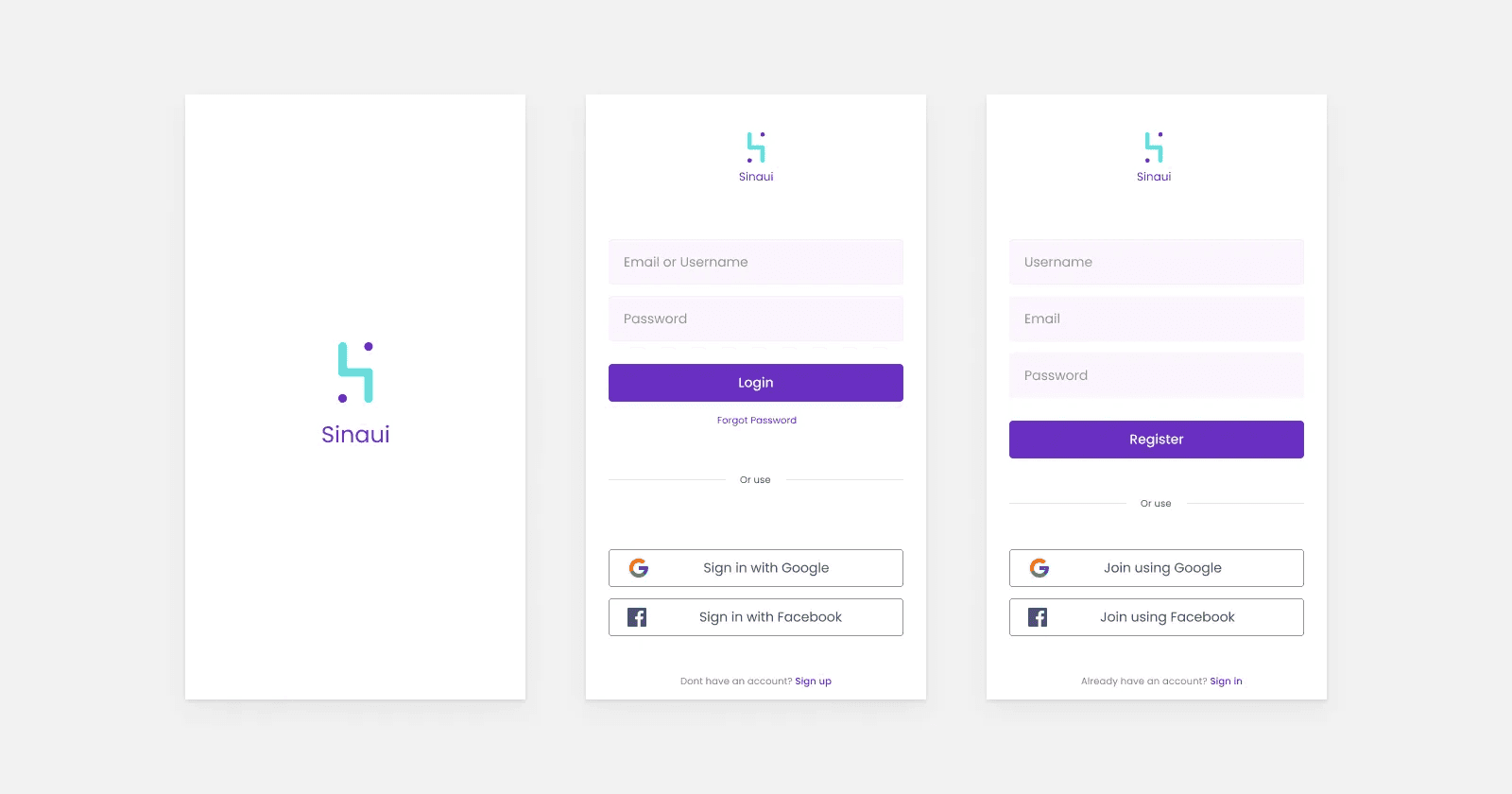
After designing the wireframe, proceed to add the details of the elements and colors. Here are some high-fidelity mockups of the UX design learning platform:
Registration
During the registration process, users can choose between registering using a Sinaui account or a Facebook / Google account. When a user can register using a Facebook / Google account, the registration process will be faster and easier.
Home dan Notification
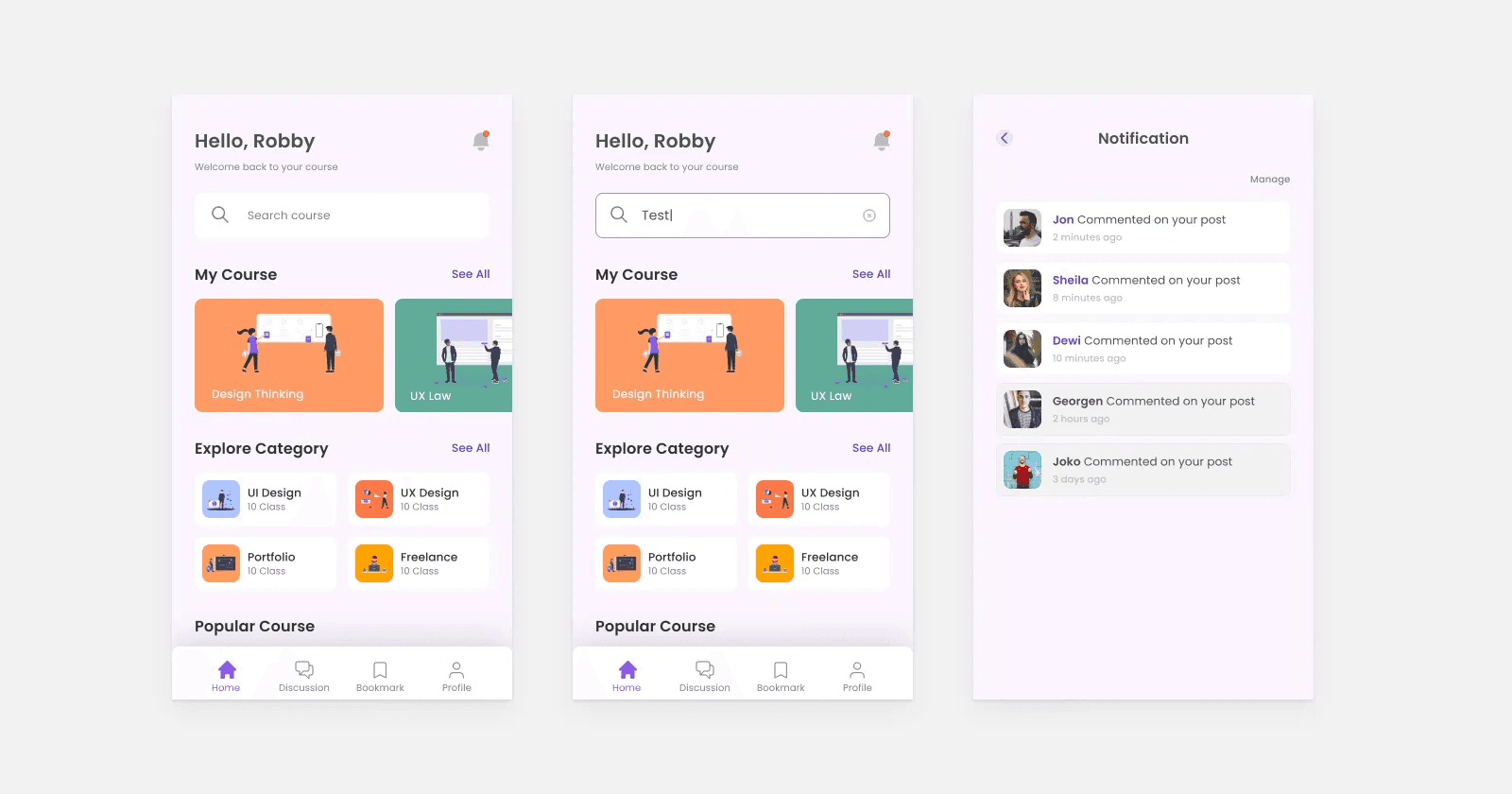
The Home page features several features such as:Search: Users can search for the class they want more quickly. My Course: Users can access classes that have been or are being attended. Explore Category: There is a class categorization so that users can search for classes based on categories. Popular Course: Users get recommended classes that are currently popular.Notifications: The notification page will appear when the user taps the bell icon. Users will receive notifications when other users respond to posts made by the user.
Accessing class
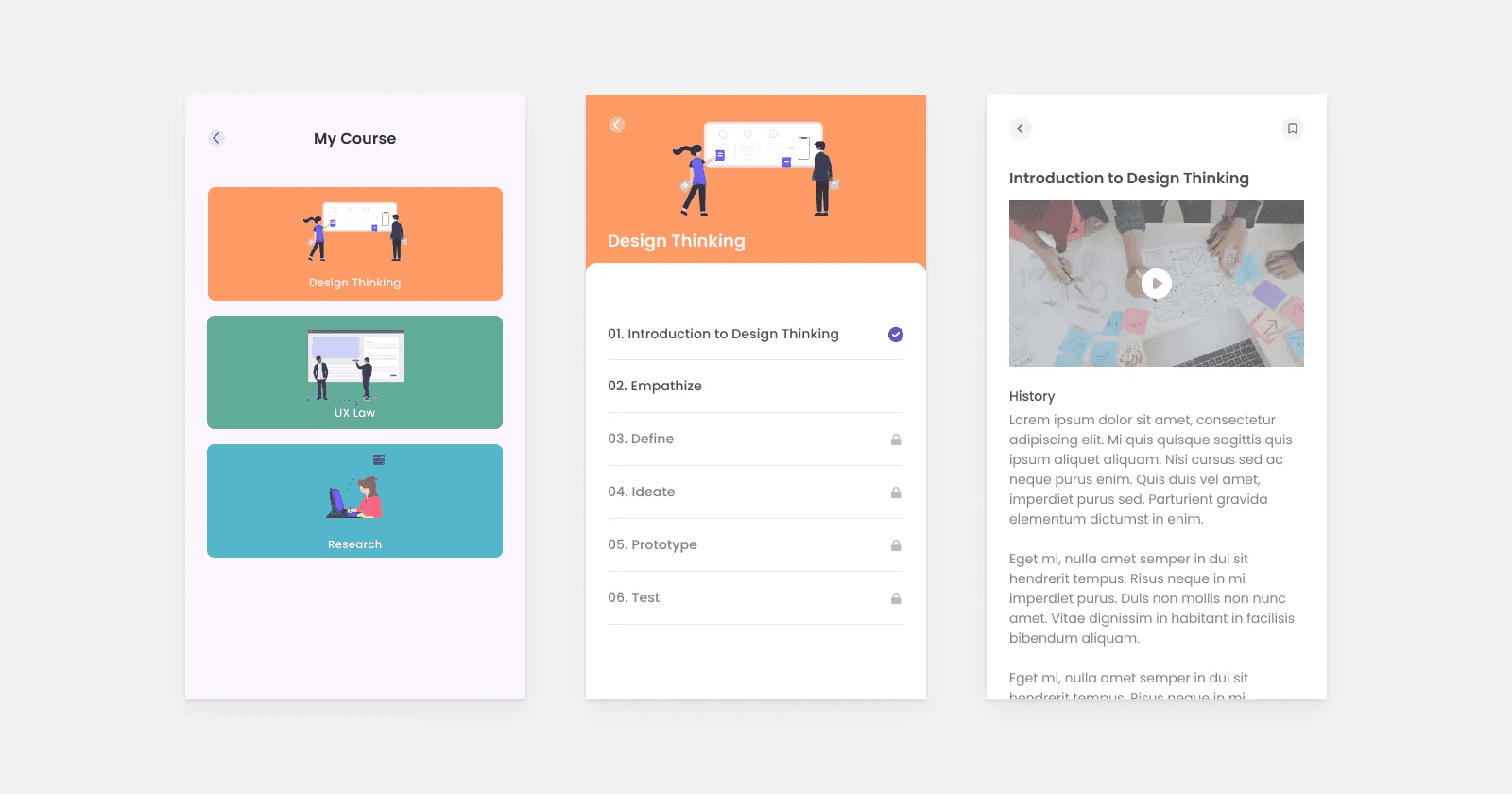
Users can access the class after registering for the class. Then, the user will be presented with several chapters of material. Users will be given material in articles and learning videos in the material details.
Community
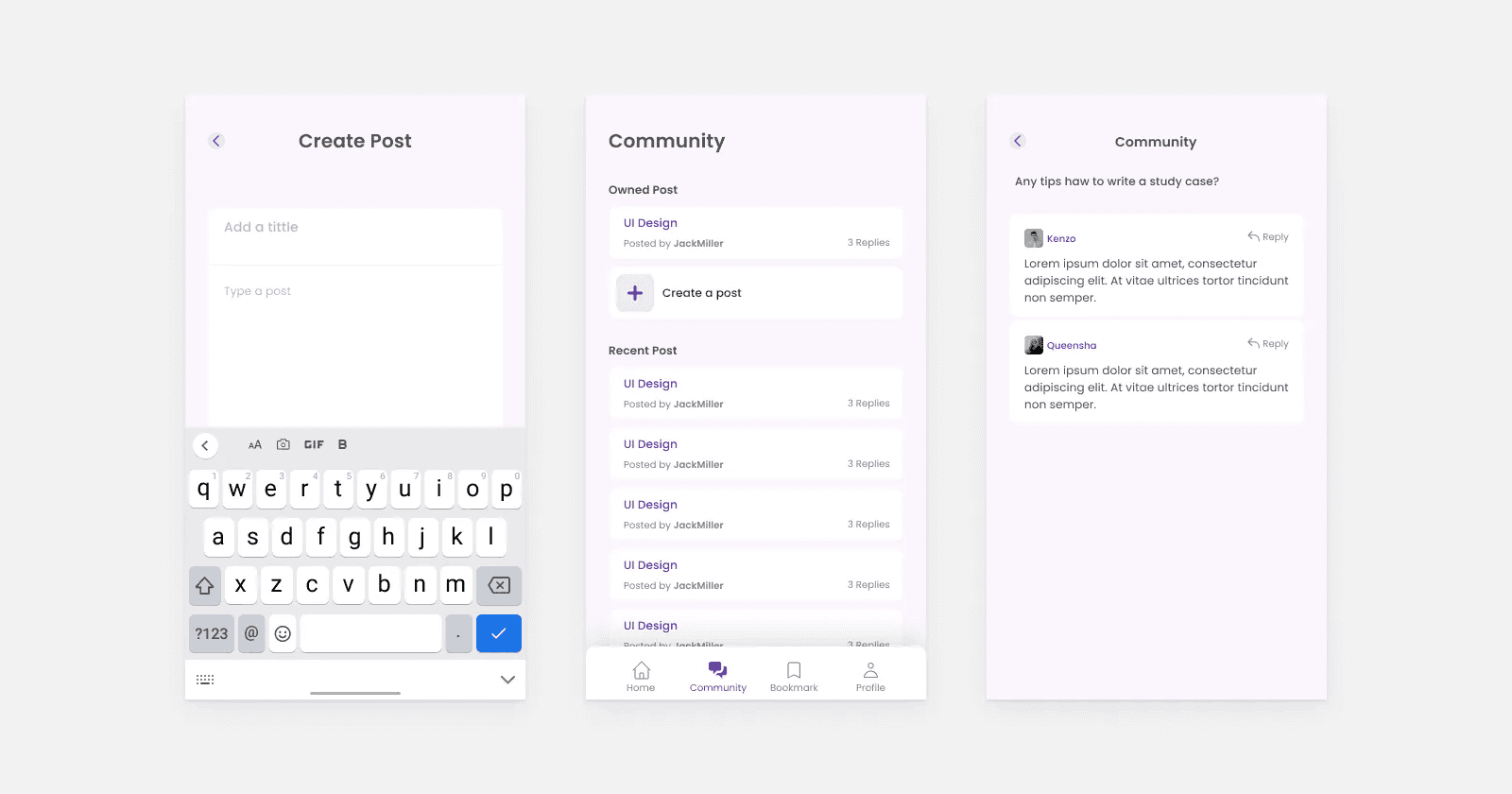
A community feature is provided to accommodate user needs for sharing information or problems. In this feature, users can create posts, respond to other users’ posts, and interact with each other in a post.
Other Pages
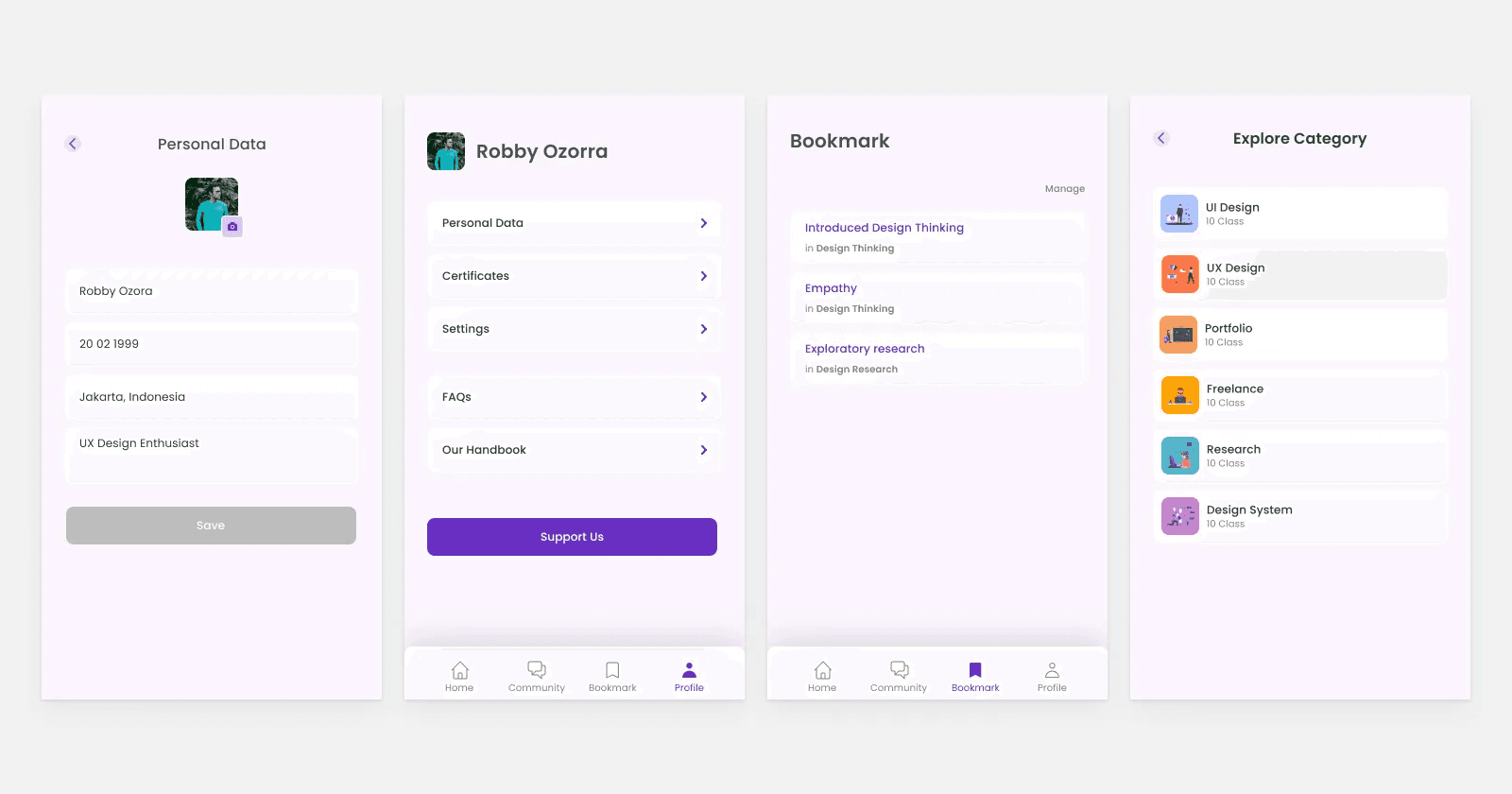
Apart from the several pages above, there are also several other pages, such as The settings page. Users can manage personal data, view certificates, and read FAQs on this page. Personal Data Page: On this page, the user can set name, place & date of birth, profile photo, and bio.Bookmark page: This page is used to access some articles the user has previously bookmarked. Explore Category page: This page will appear when the user taps “see all” on the Home page.
Outcome
This case study is far from perfect, and there is still much that I can improve. Starting from research at an early stage, maybe I should invite 5 participants for a user interview or add quantitative research to increase the insights obtained.